There’s a trend taking over Instagram and WhatsApp status right now. People are feeding a current photo into ChatGPT or Gemini and getting back something that looks like it was pulled straight out of a 1985 family album. Period hairstyles, high-waisted trousers or oversized blazers, direct camera flash, and that faded, slightly grainy film look that instantly signals “this was taken decades ago,” not five minutes ago on an iPhone.
This isn’t a filter. It’s a well-written prompt, and that distinction is exactly where most people go wrong. Just typing “make this look 80s” usually gives you a generic AI face, oddly smoothed skin, or something that looks more like a costume party than a real photograph from 1985. Getting a genuinely convincing result comes down to following a specific prompt structure, understanding what each part of that structure is actually doing, and knowing how to fix it when the first attempt doesn’t quite land.
Why most people’s first attempt fails
Before getting into the prompts themselves, it’s worth understanding why a simple request falls flat. When you just ask an AI model to “make this photo look like the 80s,” the model has almost nothing to work with. It doesn’t know whether you want a Bollywood glamour shot or a casual family snapshot. It doesn’t know which parts of your face need to stay exactly as they are versus which parts it has creative freedom over. Left without that guidance, most models default to a smoothed-out, slightly plasticky face, because that’s statistically the “safest” output for a vague prompt, not because it’s what you actually wanted.
The fix isn’t a magic keyword. It’s being specific about four things, in a consistent order, every single time.
The four-part structure that actually works
1. Lock the identity first
This is the single most important line in any good prompt, and it needs to come before anything else. Tell the model explicitly that your face, skin tone, facial structure, and expression need to stay recognizable. Without this instruction stated clearly and early, models will often drift toward a generic, idealized face rather than actually preserving your features, especially once you start layering on period styling and lighting effects.
2. Hairstyle and clothing
This is where most of the visible “80s-ness” of the final image actually comes from. Vague instructions like “give me 80s clothes” produce inconsistent results. Being specific, mentioning denim jackets, shoulder pads, sarees with a particular blouse style, permed or feathered hair, gives the model something concrete to work with rather than making its own guess at what “80s” means.
3. Photographic texture
This is the part that separates “a person wearing a costume” from “a photograph that genuinely looks like it was taken in 1985.” Direct on-camera flash, 35mm film grain, slightly faded warm colours, soft focus, and small realistic imperfections are what sell the illusion. Skip this step and you’ll get a person in period clothing shot with crisp, modern digital clarity, which immediately breaks the effect.
4. Background and setting
A generic modern background undermines everything else you’ve done. A mottled studio backdrop, a period-appropriate living room, or an old street scene with era-correct signage completes the picture. This is also where you should explicitly tell the model what not to include, smartphones, modern cars, LED screens, contemporary fashion in the background, anything that would visually date the image to the present day.
Copy-paste prompts to try
Basic solo portrait
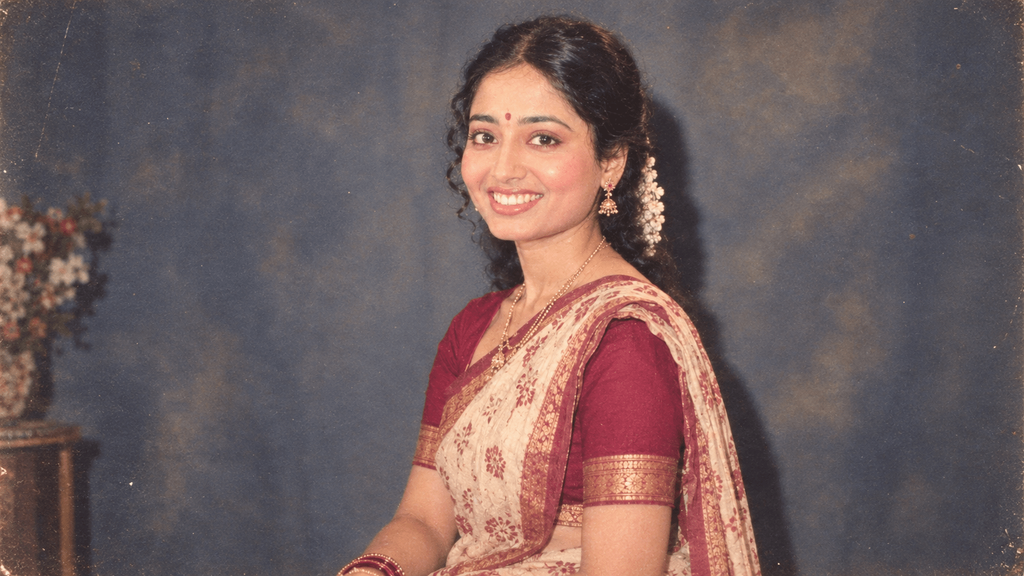
Use my uploaded photo as the primary identity reference. Keep my face, skin tone, facial structure, and expression exactly as they are, don't make it generic or overly smooth.

Now recreate this photo as though it was taken in 1986 on a 35mm film camera. Give me period-appropriate clothing and hairstyle. Use direct on-camera flash, subtle film grain, slightly faded warm colours, and a studio-style backdrop.

Don't include any modern elements like smartphones, contemporary clothing, or LED screens. Avoid heavy scratches, sepia tones, or digital sharpness, the photo should look genuinely old, not like a filter was applied.
Family living room scene
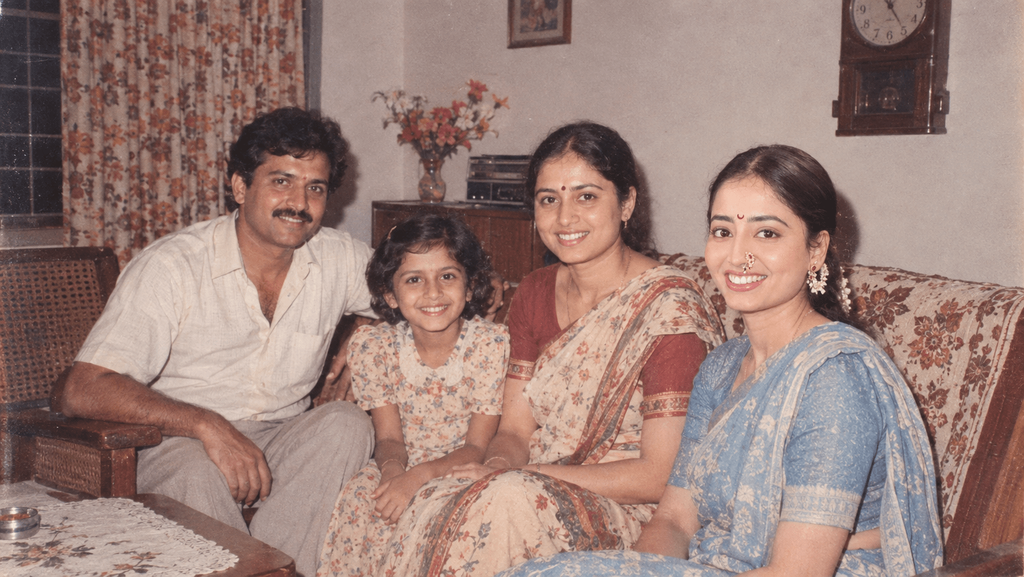
Keep everyone's face, skin tone, and apparent age in my photo exactly as they appear in the original.

Now show all of us in everyday 1985 Indian home clothing. Set the scene in a small living room with patterned curtains, wood or cane furniture, and an old wall clock. Make it feel like a casual snapshot taken with direct flash, not a posed group portrait.

Add subtle colour fading and an old-print texture, but don't add fake damage, scratches, or torn edges.
Street photo style
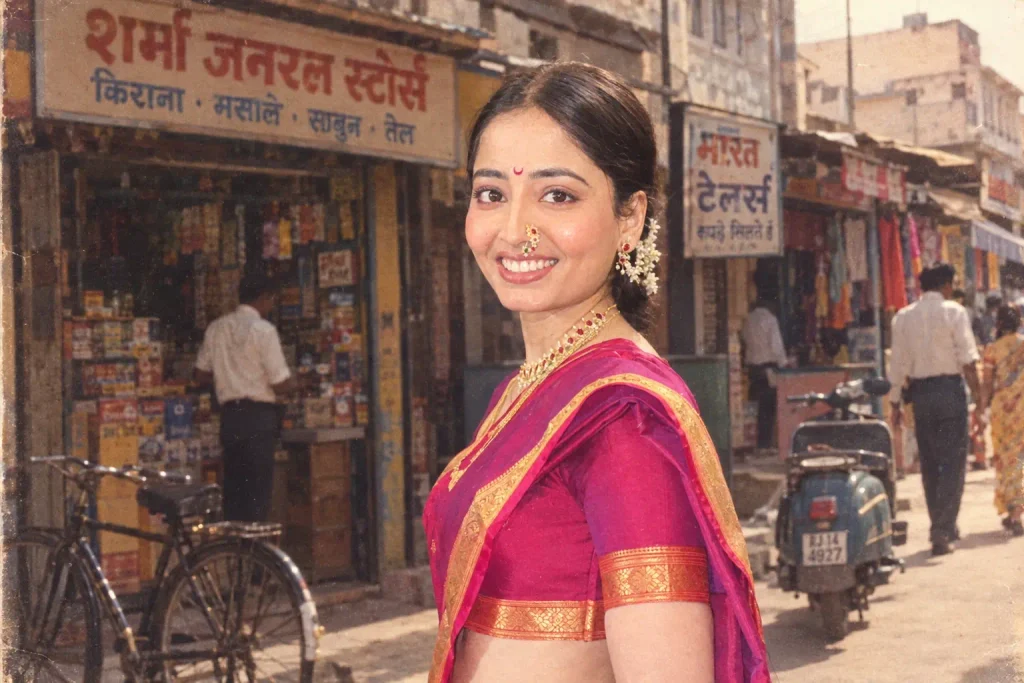
Preserve all my identifying features exactly as in the original photo. Recreate this as though it was taken on a street or in a market in 1980s India, with old shopfronts, signage, and period-appropriate vehicles in the background.

Use natural 35mm film imperfections, subtle grain, and faded shadows. Don't include any modern cars, phones, or anything from the present day.
Couple photo
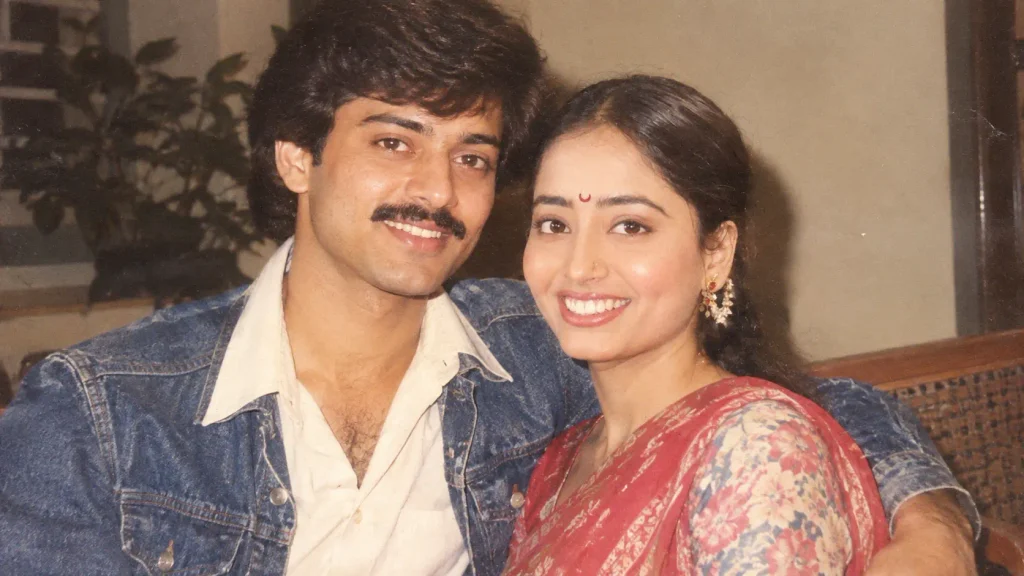
Keep both people's exact facial features, skin tones, and proportions unchanged from the uploaded photo.

Recreate this as a genuine 1980s couple photograph, taken with a consumer film camera and direct flash. Dress both people in period-appropriate clothing suited to a casual outing, not a formal studio session.

Use natural film grain, warm faded tones, and a slightly imperfect exposure. Avoid overly polished, magazine-style lighting, this should look like an ordinary photo from someone's personal album, not a professional shoot.
Glamour or studio-style portrait
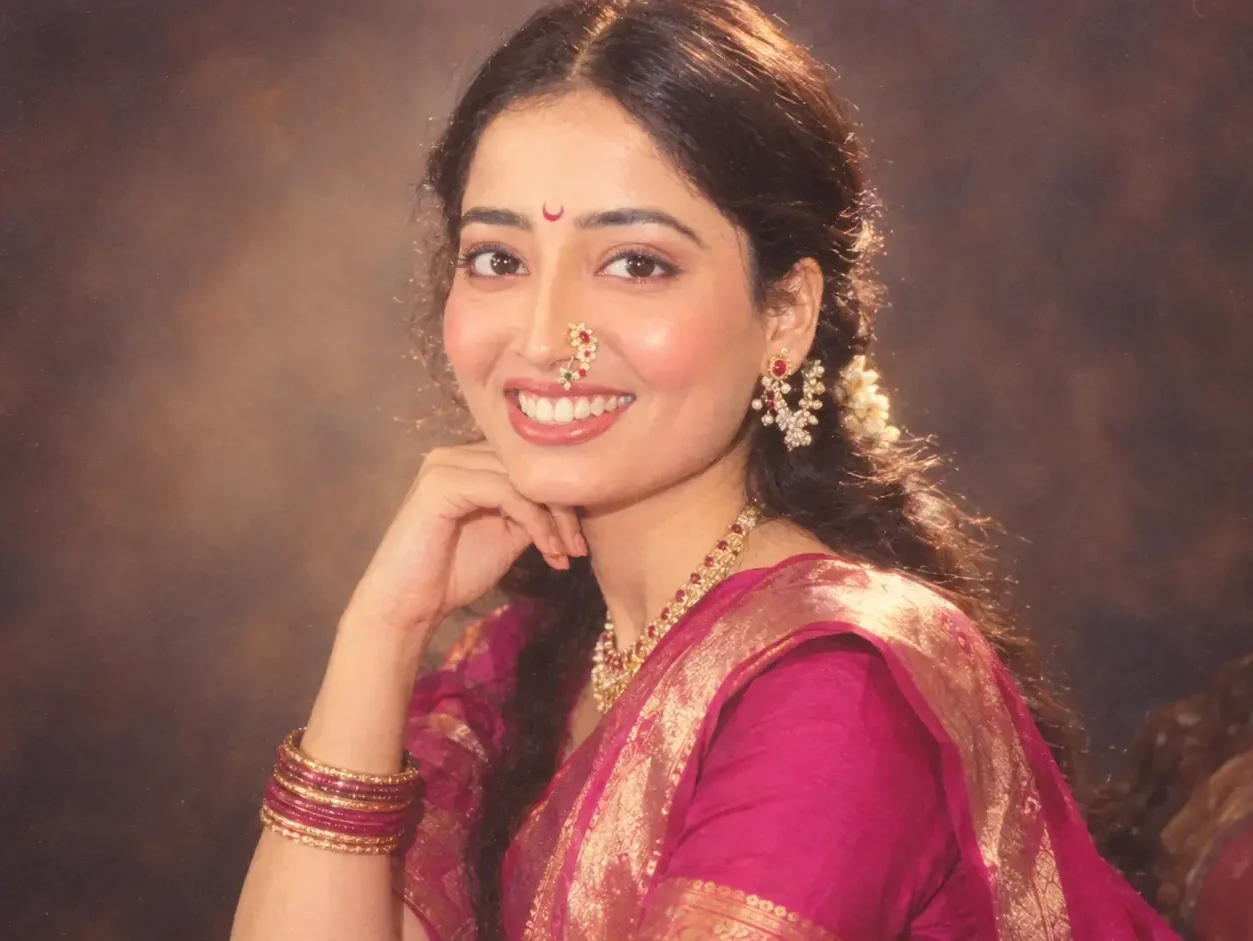
Use my uploaded photo as the identity reference and keep my exact facial structure, skin tone, and features recognizable throughout.

Recreate this as a 1980s studio glamour portrait, the kind taken at a professional photo studio for a special occasion. Give me bold period-appropriate makeup, styled hair, and formal 80s attire. Use dramatic studio lighting typical of that era, a soft-focus lens effect, and a plain or gently patterned studio backdrop.

Add authentic film grain and slightly warm colour tones, but keep my facial identity fully intact, don't idealize or smooth my features beyond what's natural.
College or school days snapshot
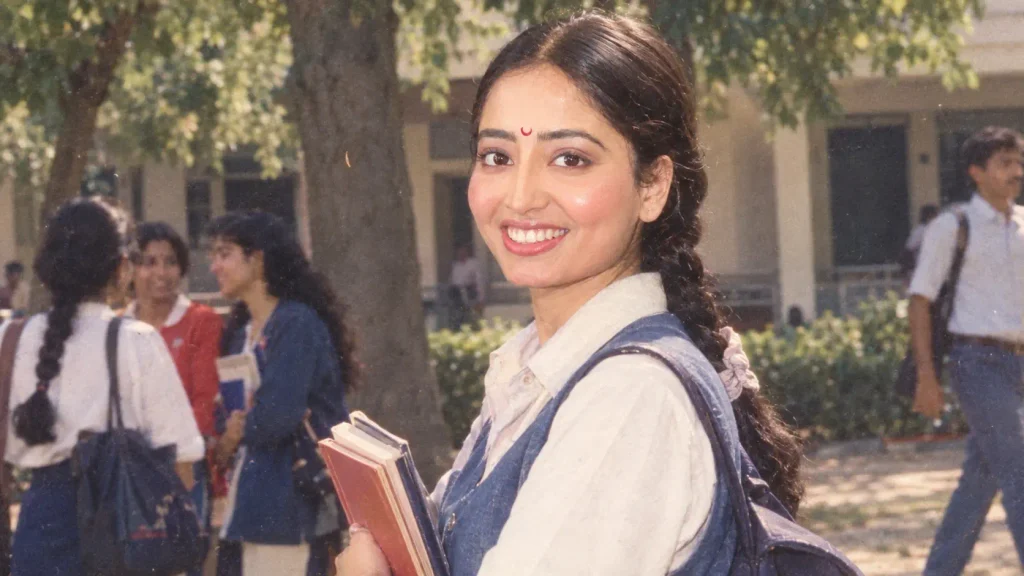
Preserve my exact facial identity, skin tone, and features from the uploaded photo.

Recreate this as a casual 1980s college or school photograph, taken informally rather than posed. Give me period-appropriate student clothing and hairstyle for that era. Set the scene outdoors on a college campus or in a simple classroom setting.

Use natural daylight, mild film grain, and slightly faded colours consistent with a consumer camera from that decade. Avoid anything that looks like a professional photoshoot, this should feel like an everyday moment.
ChatGPT or Gemini, which one should you use
The same four-part prompt structure works on both platforms, but the results differ in small, noticeable ways. Gemini, particularly through its Nano Banana image model, tends to hold facial structure more faithfully across edits, so if you’re finding your face keeps drifting away from the original, it’s worth trying there. ChatGPT sometimes smooths skin toward a more generic, airbrushed look, which can work well for glamour-style shots but can undercut the “this looks genuinely real” effect you’re often going for.
The most reliable approach is simply running the same prompt on both and comparing the two outputs side by side. Results can vary quite a bit depending on your original photo’s lighting, angle, and resolution, so what works best isn’t always consistent from one photo to the next.
Getting a more convincing result
A few practical adjustments make a real difference to how believable the final image looks.
- Start with a clear, front-facing, well-lit photo. Blurry, heavily angled, or poorly lit source photos give the model more room to drift away from your actual face, since it has less clear information to work from.
- Change one variable at a time. If the first result doesn’t look right, adjust just the clothing description or just the lighting instruction, rather than rewriting the entire prompt from scratch. This makes it much easier to figure out what actually fixed the problem.
- Reinforce identity preservation if the face starts looking generic. Adding a direct line like “preserve exact facial structure, do not replace with a generic or idealized face” partway through troubleshooting often solves this specific issue.
- Avoid combining too many scenes or ideas in one prompt. A single clear setting, one style of clothing, one lighting approach, produces a much more coherent result than trying to describe five different elements at once.
- Be specific about what to avoid, not just what to include. Explicitly ruling out smartphones, modern cars, LED lighting, and contemporary fashion in the prompt prevents these from accidentally slipping into the background.
- Match the aspect ratio to where you’re posting. A 4:5 ratio works well for Instagram feed posts, while 9:16 suits Stories or Reel cover images better.
Common mistakes to avoid
Even with a solid prompt structure, a few habits tend to produce weaker results. Asking for the photo to look “vintage” without specifying a decade often produces a vague, unconvincing mix of eras rather than a genuine 1980s look. Requesting heavy scratches, dust, or damage effects tends to look artificial rather than authentic, since real family photos from that era are usually well preserved, not deliberately distressed. And relying purely on a single generic prompt across very different photo types, a solo portrait versus a group family photo versus an outdoor street shot, rarely produces consistently good results, since each scenario benefits from its own specific framing.
If you want, I can put together a few more variations tailored to a specific look you’re going for, a Bollywood-style poster shot, a wedding photo recreation, or a disco-themed portrait, just let me know which direction you’d like to take it.