The retro saree edit is everywhere on Instagram right now. Someone uploads a plain selfie, and a minute later they are standing on a rooftop in a yellow chiffon saree looking like a 90s film poster. The tool behind most of these edits is Gemini, and the real secret is the prompt, since a weak prompt gives you a distorted face and a plastic looking saree.
Below are five saree prompts written in the same detailed style that big creators use. Each one locks the face to your uploaded photo, sets the scene, the light and the camera style, and adds a small watermark. Copy the one you like, paste it with your photo, and adjust small words if you want a different color or background. If you want a western style instead, check our couple photo editing prompts after this.
How to use these prompts
- Open Gemini or ChatGPT and start a new chat.
- Upload a clear photo of yourself. Good light and a straight face angle give the best results.
- Copy any prompt below and paste it along with the photo.
- Check the output. If the face drifts, reply with “keep the face closer to my uploaded photo” and generate again.
1. Golden Hour Chiffon Saree
This is the look that started the whole retro saree trend. The flying pallu against a warm evening sky photographs beautifully, and the grain gives it that old film poster feel.
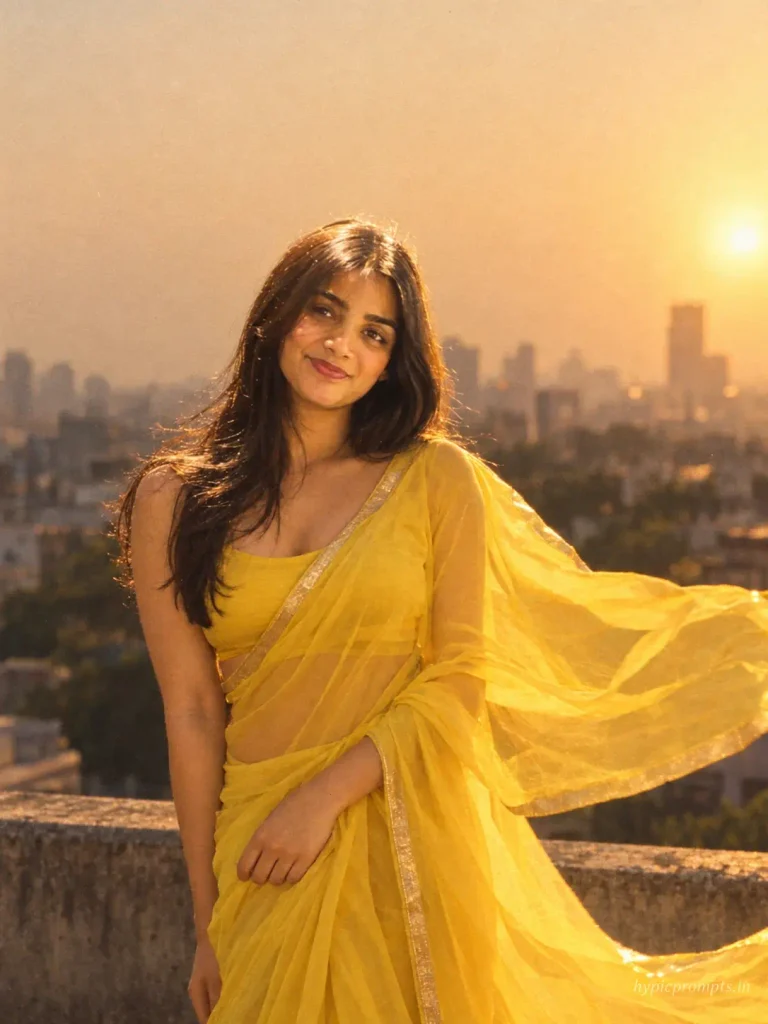
Use the uploaded photo as the strict face reference and preserve the person's identity exactly. Do not change facial features, skin tone, face shape, hairstyle or overall recognizable appearance. Create a retro 90s Bollywood style portrait of the woman wearing a bright yellow chiffon saree with a thin gold border, pallu flying in the wind. She stands on a rooftop during golden hour, warm sunlight hitting her face from the side, hair loose and slightly wavy. Background shows a soft blurred city skyline in evening haze. Shot on a vintage film camera at 85mm f/1.8, warm amber color grade, light film grain, dreamy nostalgic mood. Vertical 3:4 aspect ratio, realistic skin texture with visible pores, no plastic smoothing, no CGI look, natural photographic imperfections, RAW photo quality. Add "hypicprompts.in" as a small watermark in the bottom right corner, thin elegant font, soft white color, slight transparency, small and refined, no background behind the text, blending naturally into the image.2. Red Saree Under Rain
A darker, moodier frame. Rain plus a red saree plus street light is a combination that almost never fails, though you may need two or three runs before the water droplets look natural.
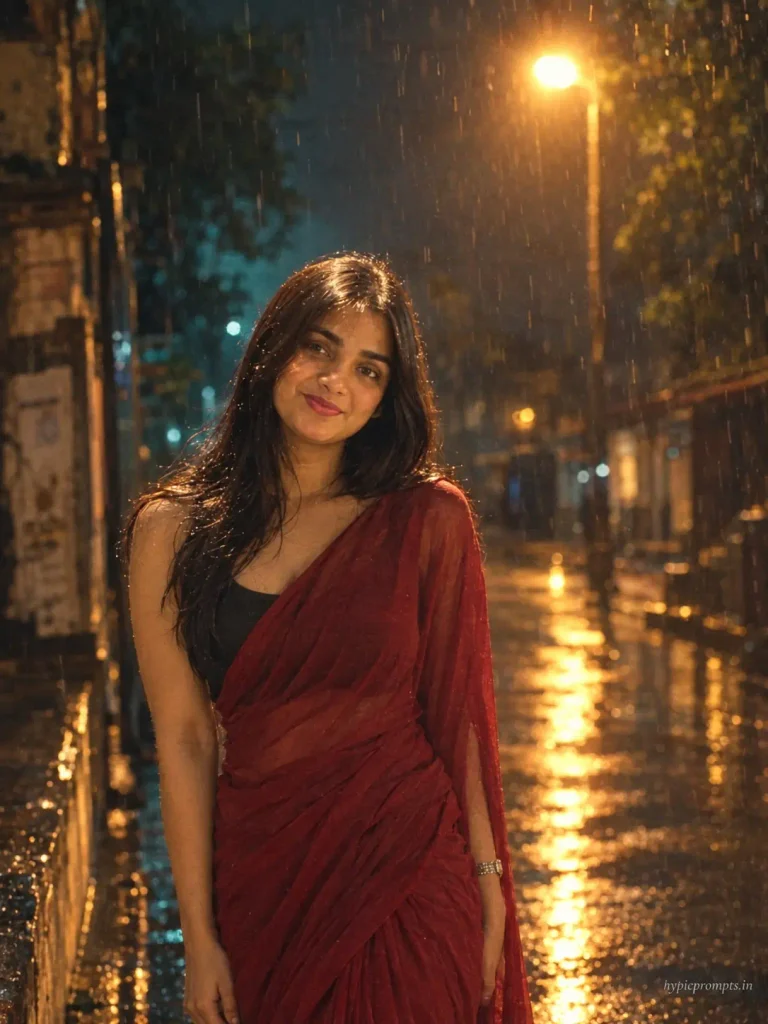
Use the uploaded photo as the strict face reference and preserve the person's identity exactly. Do not change facial features, skin tone, face shape, hairstyle or overall recognizable appearance. Create a cinematic night portrait of the woman in a deep red plain saree with a black blouse, standing under light rain on an old Indian street. A single warm street lamp glows behind her, raindrops visible in the light, wet reflections on the road. Her expression is calm, looking slightly away from the camera. Shot at 50mm f/1.4, teal and amber cinematic grade, shallow depth of field, moody Bollywood movie still. Vertical 3:4 aspect ratio, realistic skin texture with visible pores, no plastic smoothing, no CGI look, natural photographic imperfections, RAW photo quality. Add "hypicprompts.in" as a small watermark in the bottom right corner, thin elegant font, soft white color, slight transparency, small and refined, no background behind the text, blending naturally into the image.3. White Saree in a Mustard Field
Inspired by classic DDLJ style frames. The mustard yellow field does most of the work here, so keep the saree plain white and let the background carry the color.
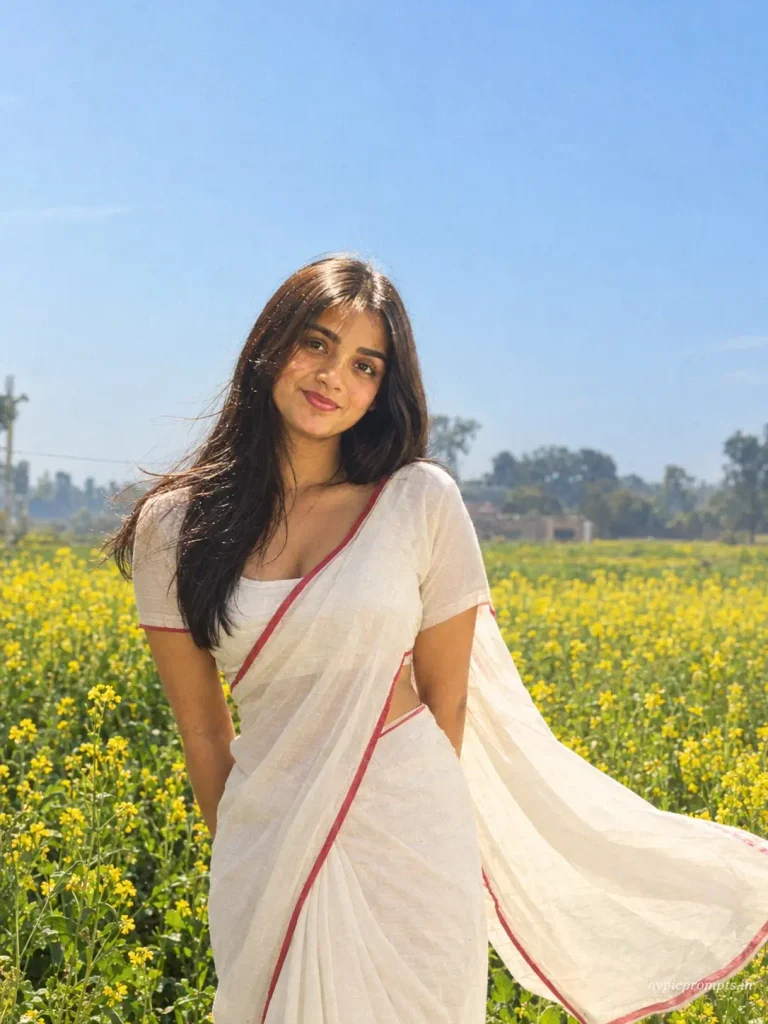
Use the uploaded photo as the strict face reference and preserve the person's identity exactly. Do not change facial features, skin tone, face shape, hairstyle or overall recognizable appearance. Create a romantic outdoor portrait of the woman in a plain white cotton saree with a thin red border, standing in a blooming yellow mustard field under a clear blue sky. Gentle breeze moves the pallu and her hair, soft natural daylight, honest documentary style framing. Shot at 35mm, natural color grade with slightly lifted shadows, 90s Indian cinema atmosphere. Vertical 3:4 aspect ratio, realistic skin texture with visible pores, no plastic smoothing, no CGI look, natural photographic imperfections, RAW photo quality. Add "hypicprompts.in" as a small watermark in the bottom right corner, thin elegant font, soft white color, slight transparency, small and refined, no background behind the text, blending naturally into the image.4. Black Saree Studio Portrait
A clean studio look for profile pictures. This one holds face detail better than the outdoor prompts because the light is controlled.
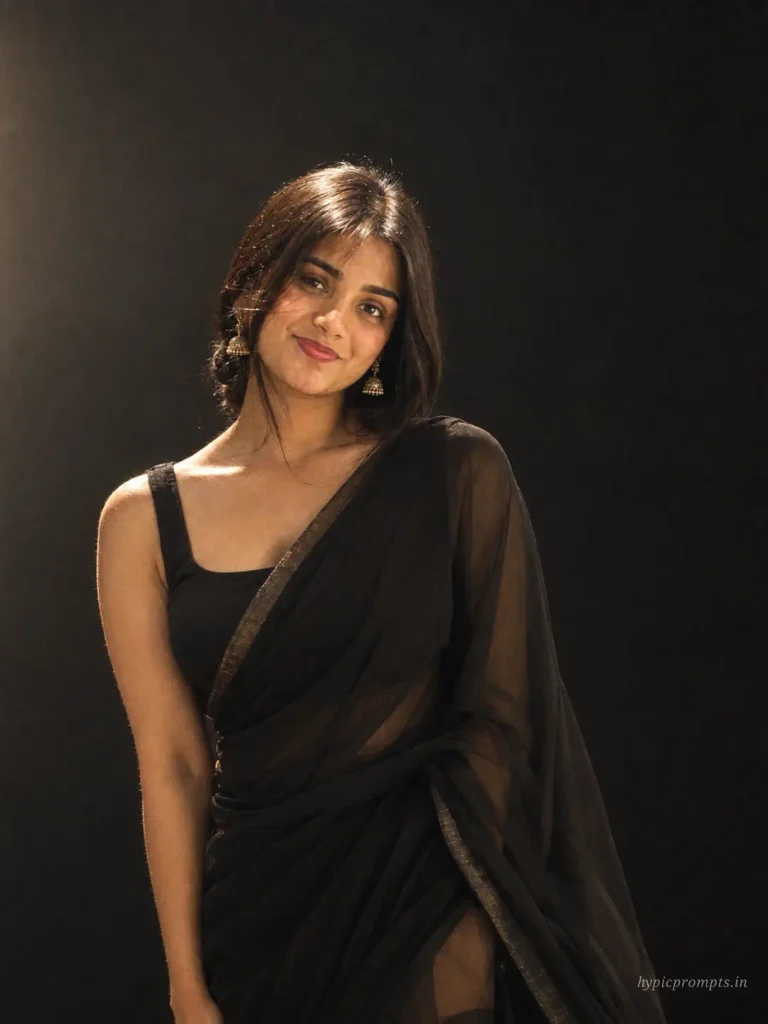
Use the uploaded photo as the strict face reference and preserve the person's identity exactly. Do not change facial features, skin tone, face shape, hairstyle or overall recognizable appearance. Create an elegant studio portrait of the woman in a black georgette saree with a sleeveless blouse, minimal gold jhumka earrings, hair tied in a low bun with a few loose strands. Dark charcoal studio background, single soft key light from the left creating gentle shadow on one side of the face, subtle rim light on the shoulder. Shot at 85mm f/2, high end magazine editorial finish, rich contrast. Vertical 3:4 aspect ratio, realistic skin texture with visible pores, no plastic smoothing, no CGI look, natural photographic imperfections, RAW photo quality. Add "hypicprompts.in" as a small watermark in the bottom right corner, thin elegant font, soft white color, slight transparency, small and refined, no background behind the text, blending naturally into the image.5. Vintage Train Window Saree
The most story driven prompt in this set. Old train, window light, a pensive mood. Saves and shares on this style are usually higher than plain portraits.
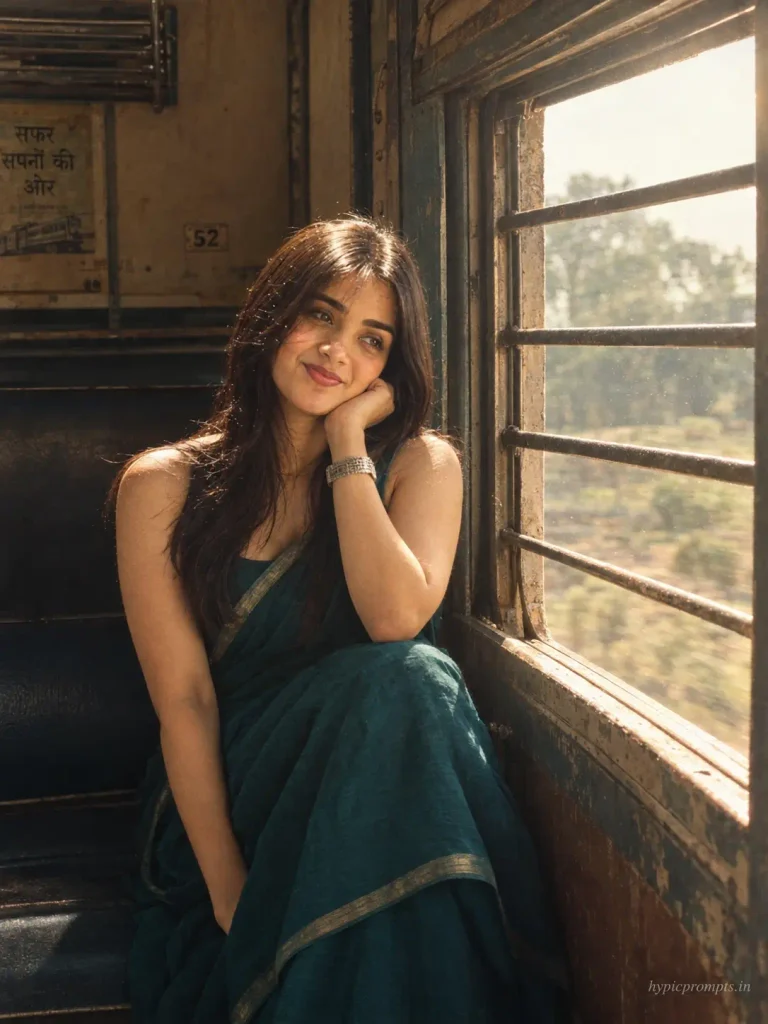
Use the uploaded photo as the strict face reference and preserve the person's identity exactly. Do not change facial features, skin tone, face shape, hairstyle or overall recognizable appearance. Create a nostalgic portrait of the woman in a teal handloom saree sitting by the window of an old Indian train, elbow resting on the window frame, chin on her hand, looking outside. Warm morning light enters through the window, dust particles visible in the light beam, worn wooden interior of the coach. Shot at 35mm f/2, faded film color grade with soft greens and warm skin tones, quiet vintage mood. Vertical 3:4 aspect ratio, realistic skin texture with visible pores, no plastic smoothing, no CGI look, natural photographic imperfections, RAW photo quality. Add "hypicprompts.in" as a small watermark in the bottom right corner, thin elegant font, soft white color, slight transparency, small and refined, no background behind the text, blending naturally into the image.Tips for better results
- Upload a photo where your face is clearly visible and not covered by sunglasses or heavy filters.
- Change only one thing at a time. Swap the saree color or the background, never both, so you can tell what changed the output.
- If the saree fabric looks like plastic, add the words “natural fabric folds and realistic cloth texture” to the prompt.
- Generate at least two or three versions and pick the best. Outputs vary between runs even with the same prompt.
Frequently Asked Questions
Do these prompts work in ChatGPT too?
Yes. The prompts are written in plain language, so they run in ChatGPT, Gemini and most image tools that accept a reference photo. Gemini currently handles Indian outfits and skin tones a little better in our runs.
Why does my face look different in the output?
The model sometimes drifts from the reference. Reply with “keep the face 100 percent identical to the uploaded photo” and regenerate. A clear, front facing upload photo also reduces drift a lot.
Is the Gemini saree edit free?
Gemini gives a limited number of free image generations per day. If you hit the limit, wait for the reset or try the same prompt in ChatGPT.
Can I remove the watermark line from the prompt?
Yes. The watermark line is optional. Delete that sentence if you want a clean image, or replace the text with your own Instagram handle.
Which photo works best as the reference?
A recent photo in daylight, face straight toward the camera, no group shots. The model picks one face from the image, so a solo photo avoids confusion.
If these worked for you, try the 90s Bollywood prompts for girls next, that set goes deeper into the vintage film style.
Pingback: 5 ChatGPT Couple Photo Editing Prompts for a Cinematic Pre Wedding Look - Hypic Prompts
Pingback: 5 Retro 90s Bollywood Photo Editing Prompts for Girls - Hypic Prompts