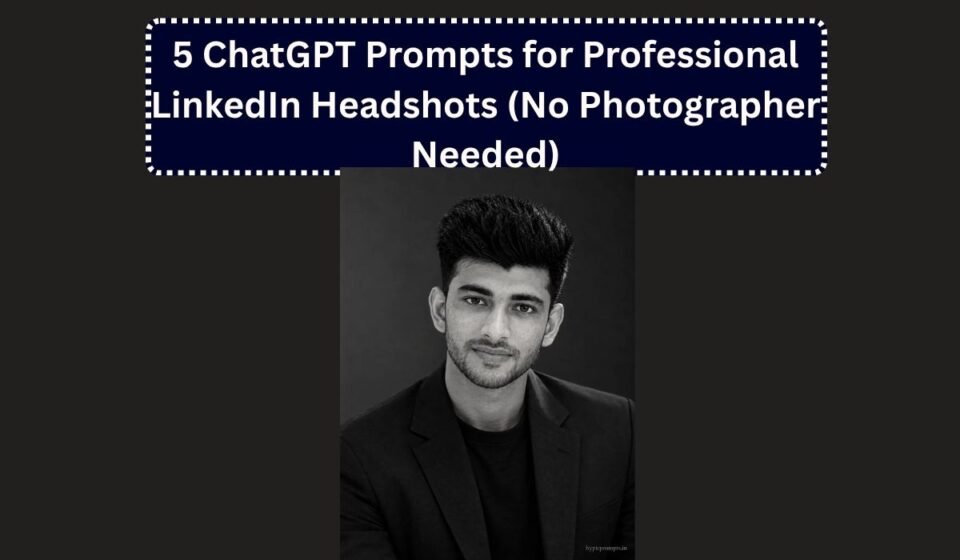
5 ChatGPT Prompts for Professional LinkedIn Headshots (No Photographer Needed)

A professional headshot session costs three to ten thousand rupees in most Indian cities, and the results date quickly anyway, new haircut, new glasses, new job. Generating one from a phone selfie takes about two minutes now, and recruiters scrolling LinkedIn cannot tell the difference when the prompt is written properly.
Written properly is the key phrase. Lazy headshot prompts produce that unmistakable AI glow, poreless skin, dead eyes, a blazer that fits like rubber. The five prompts below fight this with the same three tools every time, a real lighting setup described in photography terms, an instruction to keep skin texture, and your uploaded face locked as the reference. Pick the frame that matches your work and generate.
How to use these prompts
- Open Gemini or ChatGPT and start a new chat.
- Upload a clear photo of yourself. Good light and a straight face angle give the best results.
- Copy any prompt below and paste it along with the photo.
- Check the output. If the face drifts, reply with “keep the face closer to my uploaded photo” and generate again.
1. Classic Grey Studio Headshot
The standard corporate frame. If you only generate one, generate this. It fits every industry and never looks overproduced.
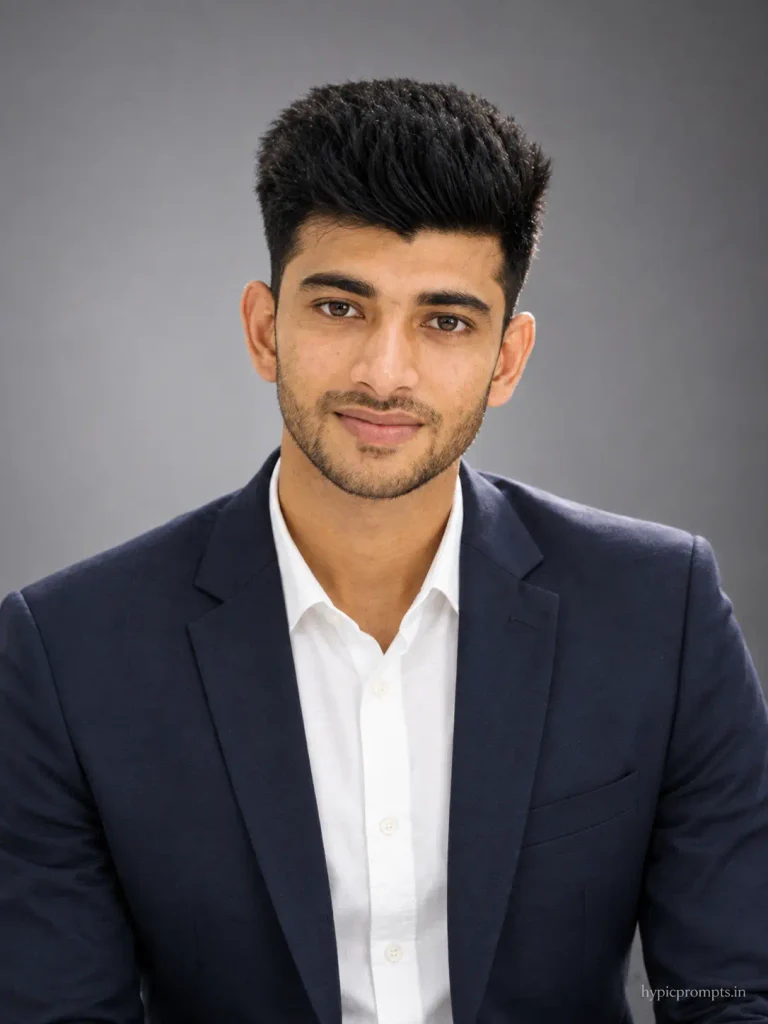
Use the uploaded photo as the strict face reference and preserve the person's identity exactly. Do not change facial features, skin tone, face shape, hairstyle or overall recognizable appearance. Create a professional corporate headshot of the person from the chest up, wearing a navy blazer over a plain white shirt, facing the camera with a relaxed confident expression and a slight natural smile. Soft grey studio background with a gentle gradient, classic three point lighting, soft key light from the front left, subtle fill, faint rim light separating the shoulders from the background. Shot at 85mm f/2.8, clean neutral color grade, sharp eyes, no beauty retouching. Vertical 3:4 aspect ratio, realistic skin texture with visible pores, no plastic smoothing, no CGI look, natural photographic imperfections, RAW photo quality. Add "hypicprompts.in" as a small watermark in the bottom right corner, thin elegant font, soft white color, slight transparency, small and refined, no background behind the text, blending naturally into the image.2. Office Window Environmental Portrait
For founders and managers who want context in the frame. The blurred office says working professional without a single word.
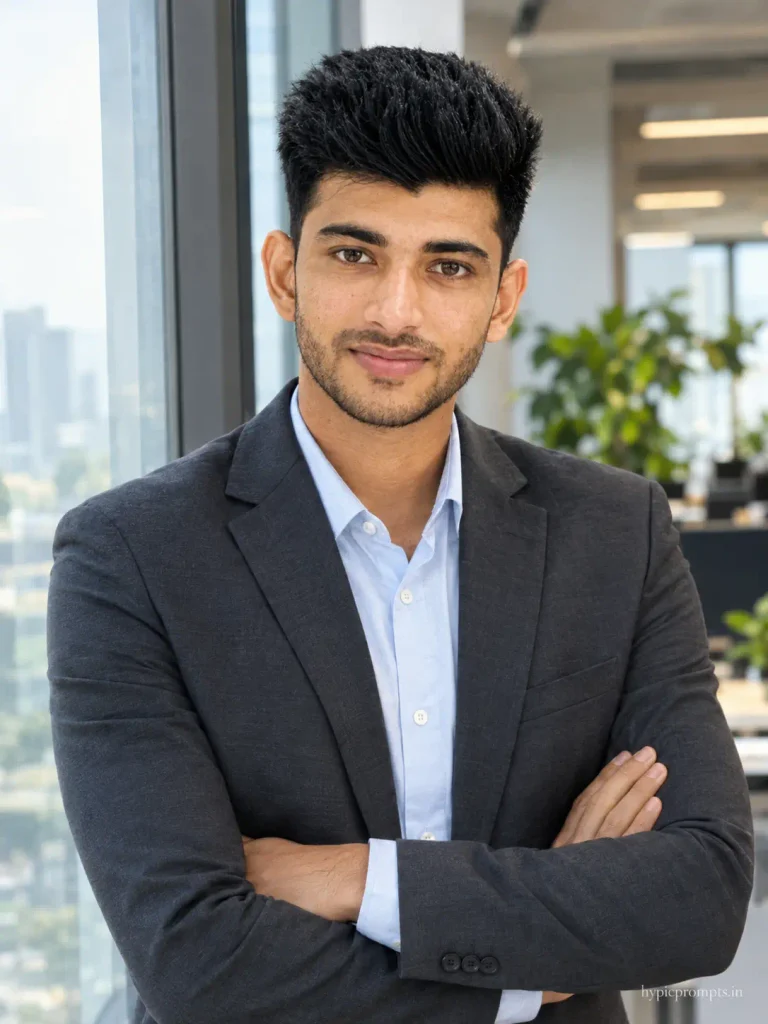
Use the uploaded photo as the strict face reference and preserve the person's identity exactly. Do not change facial features, skin tone, face shape, hairstyle or overall recognizable appearance. Create a professional environmental portrait of the person standing near a large office window, arms lightly crossed, wearing a charcoal blazer over a light blue shirt, looking at the camera with calm confidence. A modern office interior with desks and plants softly blurred behind, daylight from the window as the key light. Shot at 50mm f/2, natural corporate color grade, believable office reflections in the glass. Vertical 3:4 aspect ratio, realistic skin texture with visible pores, no plastic smoothing, no CGI look, natural photographic imperfections, RAW photo quality. Add "hypicprompts.in" as a small watermark in the bottom right corner, thin elegant font, soft white color, slight transparency, small and refined, no background behind the text, blending naturally into the image.3. Warm Approachable Creator Headshot
Softer than the studio frame. Suits coaches, teachers, freelancers and anyone whose work depends on looking easy to talk to.
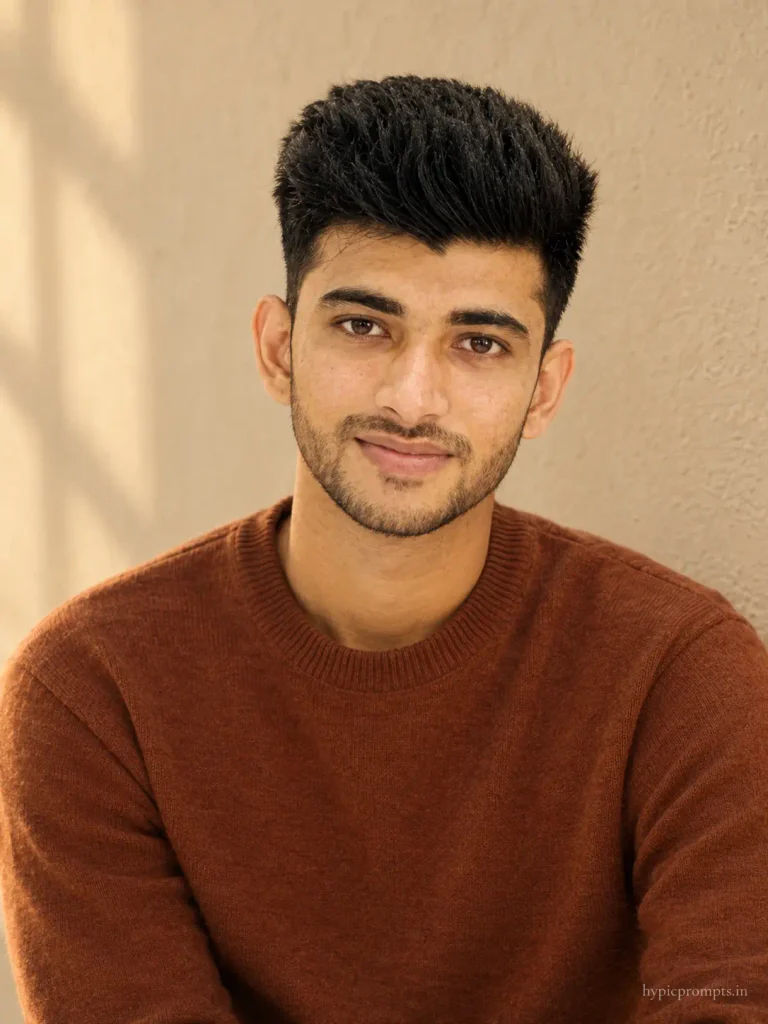
Use the uploaded photo as the strict face reference and preserve the person's identity exactly. Do not change facial features, skin tone, face shape, hairstyle or overall recognizable appearance. Create a warm approachable headshot of the person against a soft beige textured wall, wearing a rust brown crew neck sweater, shoulders angled slightly, head turned to the camera with a genuine open smile. Soft golden window light from one side, gentle shadow falloff. Shot at 85mm f/2, warm friendly color grade, natural skin texture kept fully visible. Vertical 3:4 aspect ratio, realistic skin texture with visible pores, no plastic smoothing, no CGI look, natural photographic imperfections, RAW photo quality. Add "hypicprompts.in" as a small watermark in the bottom right corner, thin elegant font, soft white color, slight transparency, small and refined, no background behind the text, blending naturally into the image.4. Black and White Executive Portrait
Monochrome hides color casts and skin unevenness better than any retouching, which is why it remains the safest premium look.
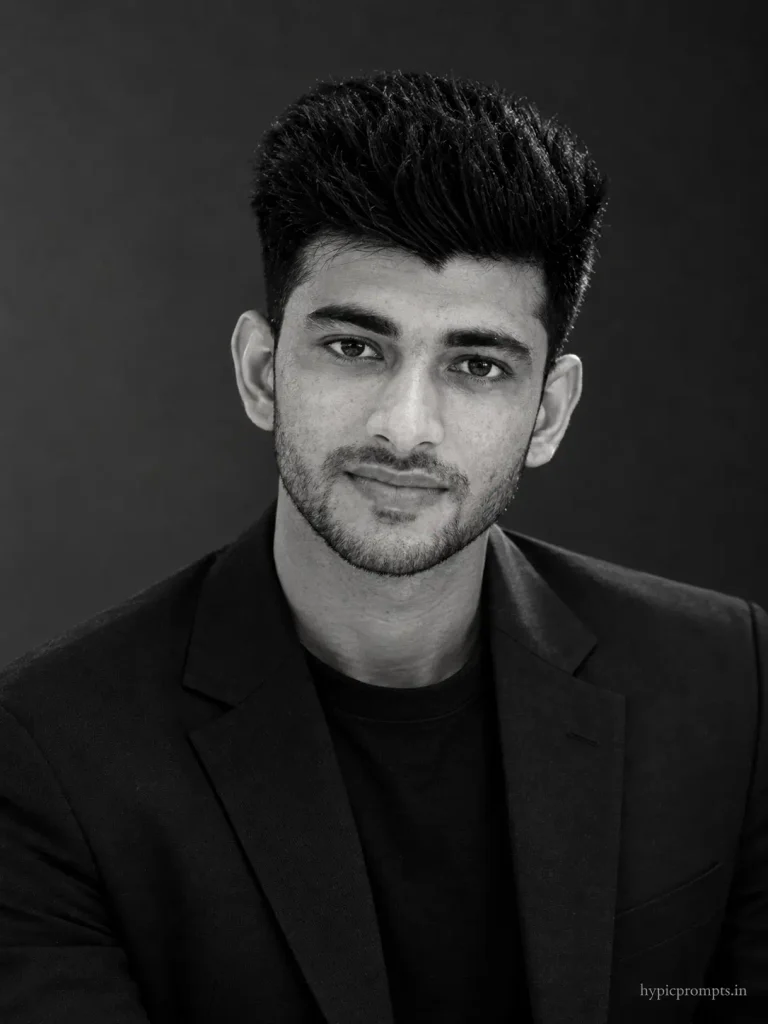
Use the uploaded photo as the strict face reference and preserve the person's identity exactly. Do not change facial features, skin tone, face shape, hairstyle or overall recognizable appearance. Create a premium black and white executive portrait of the person from the shoulders up against a dark grey background, wearing a dark blazer over a plain crew neck. Strong directional soft light from one side sculpting the face, deep but detailed shadows, catchlight visible in the eyes, serious composed expression. Shot at 85mm f/2.8, rich monochrome grade with true blacks and clean highlights, editorial magazine finish. Vertical 3:4 aspect ratio, realistic skin texture with visible pores, no plastic smoothing, no CGI look, natural photographic imperfections, RAW photo quality. Add "hypicprompts.in" as a small watermark in the bottom right corner, thin elegant font, soft white color, slight transparency, small and refined, no background behind the text, blending naturally into the image.5. Speaker on Stage Frame
For people building a personal brand. A stage photo signals authority, and almost nobody has a real one.
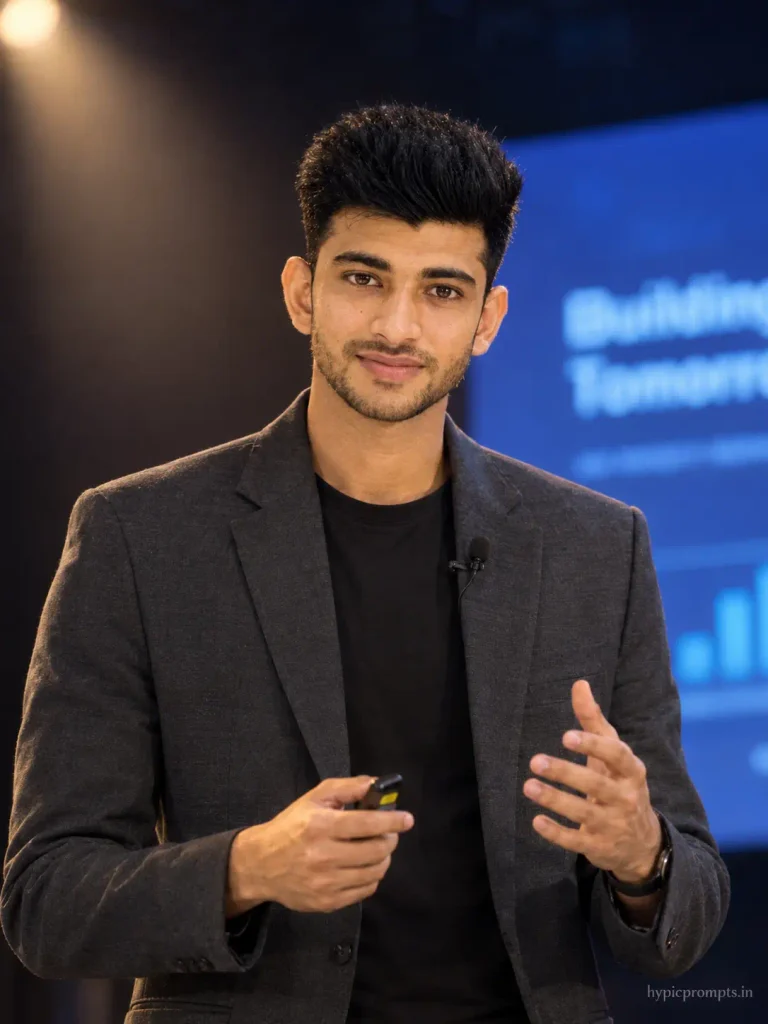
Use the uploaded photo as the strict face reference and preserve the person's identity exactly. Do not change facial features, skin tone, face shape, hairstyle or overall recognizable appearance. Create a professional photo of the person speaking on a conference stage, holding a small clicker, mid gesture, wearing a smart casual blazer over a dark tee, a lavalier mic clipped to the collar. Dark auditorium behind with a large blurred presentation screen glowing blue, warm stage spotlight on the speaker. Shot at 70mm f/2.8, realistic event photography grade, slight light haze in the beam, face sharp and true to the reference. Vertical 3:4 aspect ratio, realistic skin texture with visible pores, no plastic smoothing, no CGI look, natural photographic imperfections, RAW photo quality. Add "hypicprompts.in" as a small watermark in the bottom right corner, thin elegant font, soft white color, slight transparency, small and refined, no background behind the text, blending naturally into the image.Tips for better results
- Upload a selfie taken at eye level in daylight, no filters. The better the input light, the less the model invents your face.
- Match the frame to the job. Studio grey for corporate roles, the warm creator frame for freelance work, the stage frame only if you actually speak or plan to.
- Ask for one change per follow up message. “Make the blazer black” works, a five change list scrambles the face.
- Never let the model whiten teeth or smooth skin. If it does, reply “keep original skin texture and natural teeth” and regenerate.
Frequently Asked Questions
Is it okay to use an AI headshot on LinkedIn?
Yes, as long as it still looks like you. The line most people draw is simple, the photo should not surprise anyone who meets you in person. These prompts preserve your face rather than idealising it.
Which prompt should freshers use?
The classic grey studio frame or the warm creator frame. The executive monochrome and stage frames read as senior, which can feel mismatched on an entry level profile.
My eyes look slightly dead in the output. Any fix?
Add “visible catchlight in both eyes and natural moisture on the eyes” to the prompt. Missing catchlights are the biggest reason AI portraits feel lifeless.
Can I get a matching banner image too?
Yes. After the headshot, ask the same chat for a wide 4:1 banner using the same background and light so the profile looks like one photo session.
Do these work for CV photos and company websites?
They do. For print or a team page, ask for the highest available resolution and check collar edges and hair boundaries before final use.
If you also post creative content, the 3D figurine prompts make a fun contrast to a formal profile, people love the serious headshot next to a toy version of the same person.